Reminders
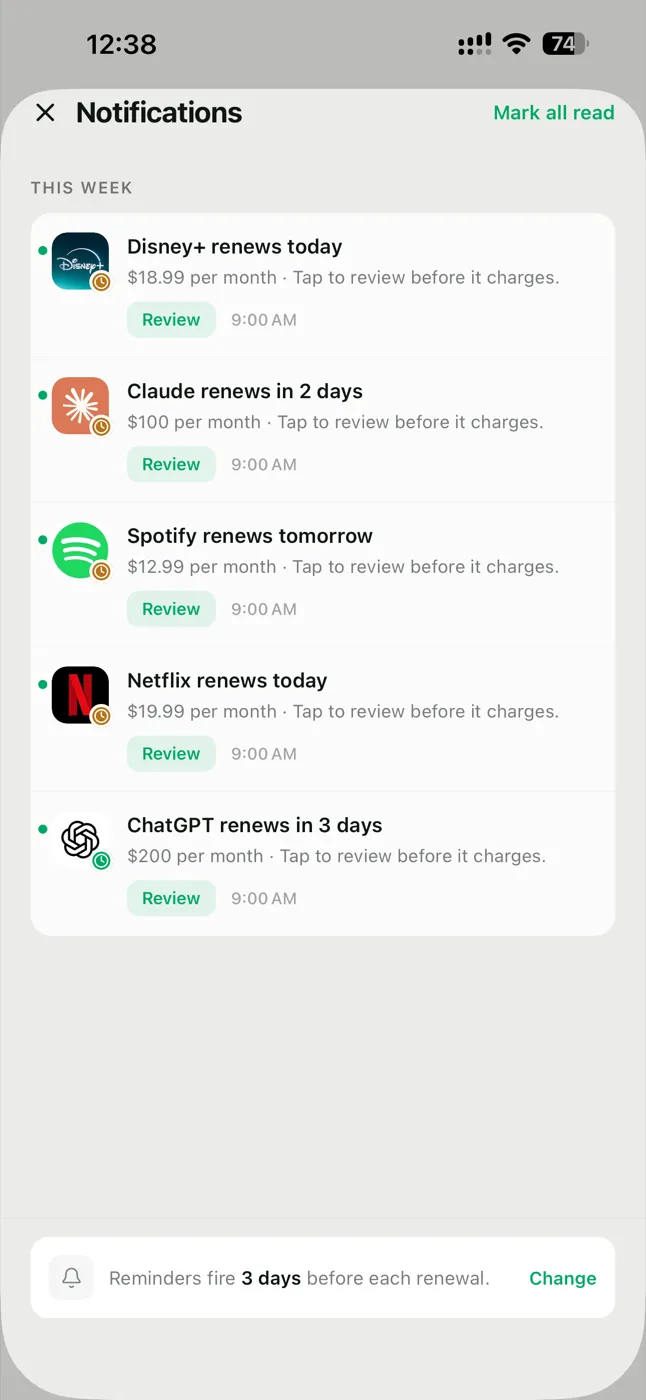
Review renewals before they charge
Glint - Subscription Tracker
New in 1.1.0 · 12 languages, widgets & a monthly plan
Forgotten free trials and unused subscriptions quietly drain your account. Glint helps you get ahead of tracked renewals with reminders you control, plus a clear picture of what you'd save by cancelling. The honest tracker: private, ad-free, refreshingly quiet.
Free to use · No account · No ads, ever · Pro yearly starts with a 14-day free trial on iPhone, if your App Store account is eligible
Features
Every part of Glint exists for one reason: to help you spot subscriptions before they cost you money you did not mean to spend.
A heads-up anywhere from 30 days out to the morning it charges — and two alerts before a free trial converts into a paid plan. That gives you time to review it while cancelling is still an option.
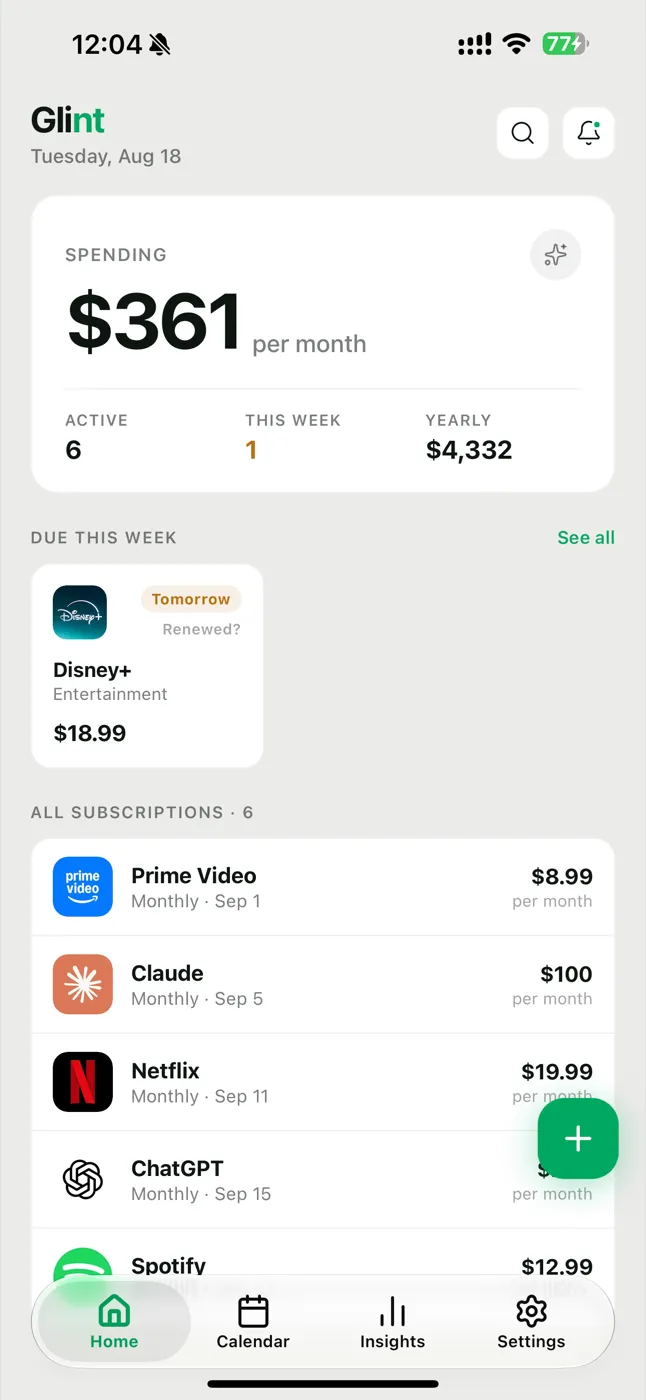
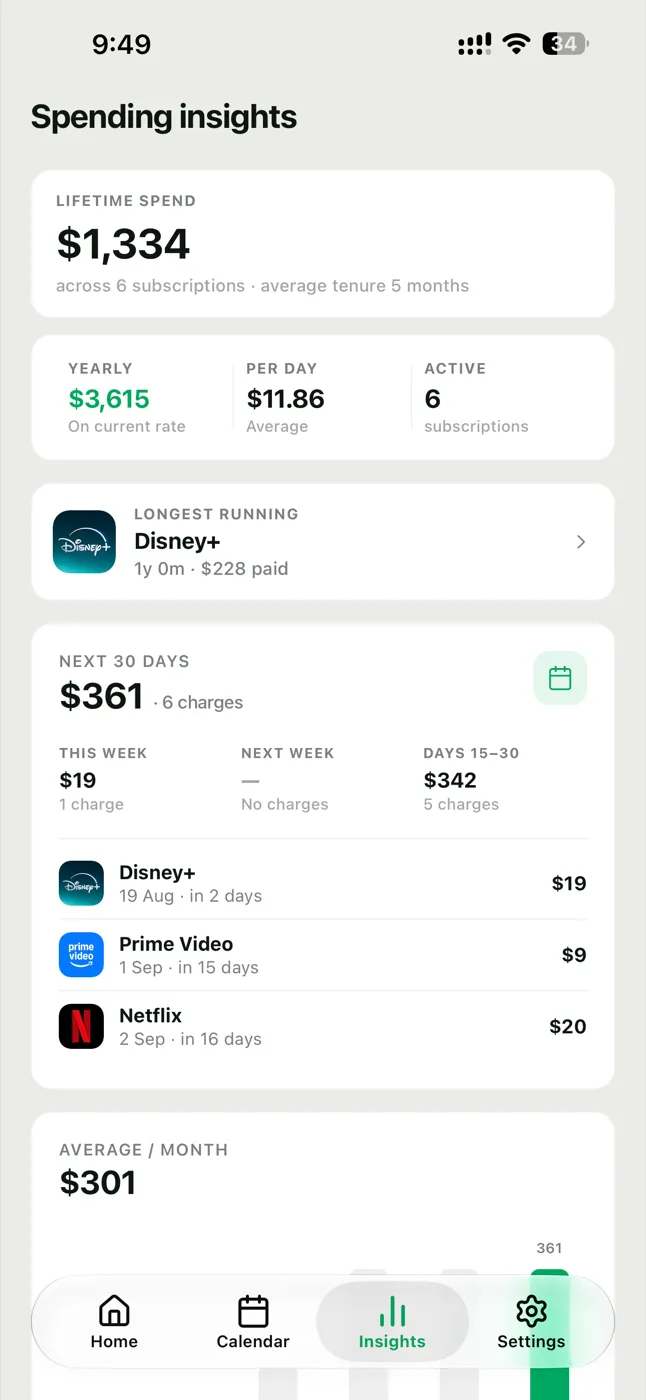
Lifetime spend, 30-day forecast, per-day burn — the numbers that make you cancel what you don't use.
Your subscription details stay on your device or in your own optional backup. Anonymous diagnostics are never sold or used for advertising.
New in 1.1.0
Version 1.1.0 is the biggest update since launch: Glint now speaks your language, lives on your home screen, costs what makes sense where you live — and has a small yellow companion who shows up when there is nothing to worry about.
English, Japanese, German, French, Spanish, Italian, Korean and Portuguese — with dates, currencies and reminder wording that follow the language, not just the labels.
Your next renewal and monthly total on the home screen, on iPhone and Android. Included with Pro.
Pro is now Monthly, Yearly or Lifetime, and every price is set per region instead of a converted dollar figure. On iPhone, yearly opens with a 14-day free trial if your App Store account is eligible.
The refreshed tab bar puts adding a subscription one obvious tap away, on every screen.
Your own Pro plan shows up alongside everything else, including when a trial or renewal lands.
Set-up now walks you through picking services, adding prices, previewing bills and choosing reminders — before you ever see an empty dashboard.
See Glint in action
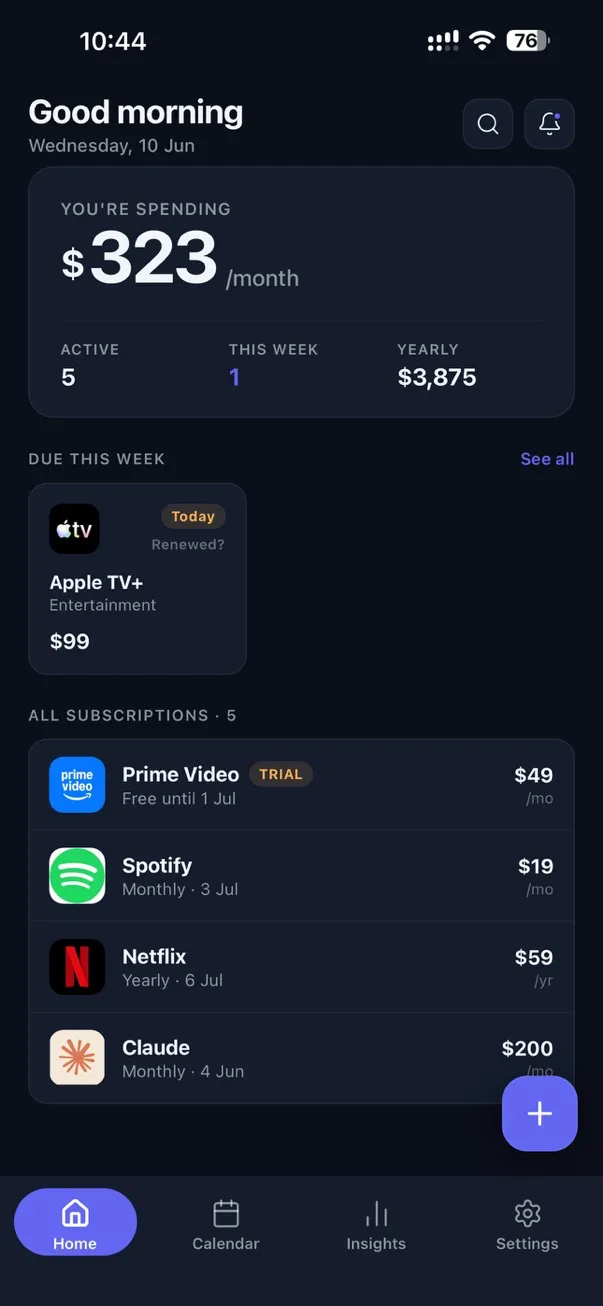
Swipe through reminders, the renewal calendar, and multi-currency tracking.
Reminders
Calendar
Insights
Swipe to explore
Due in June
$99
1 renewal this month
Calendar
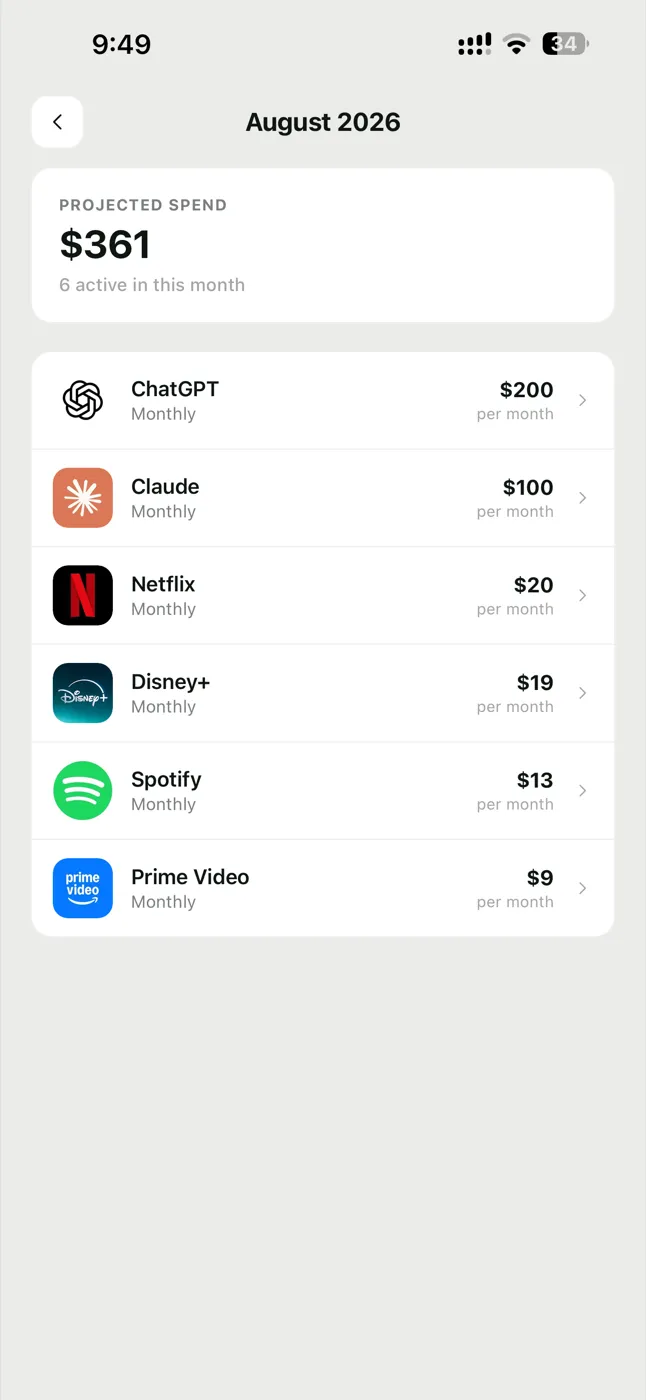
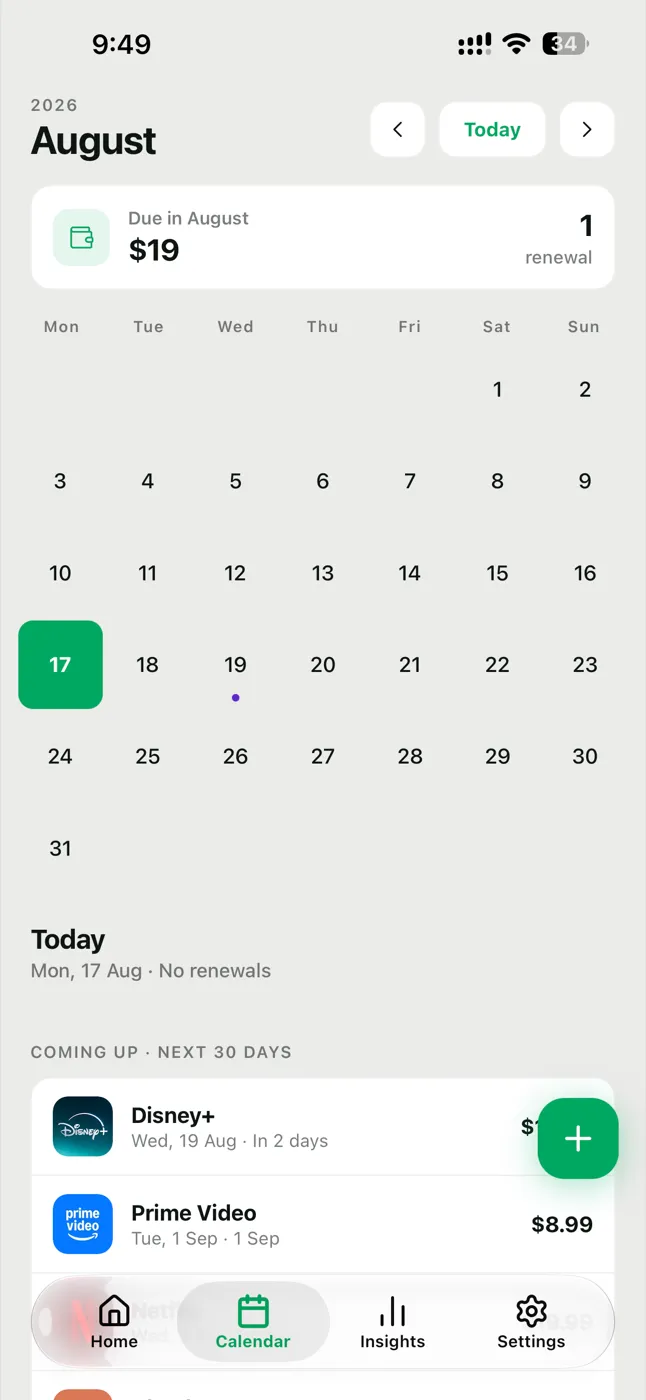
What's due this week, and everything coming up in the next 30 days — at a glance. Renewal markers land on the calendar the moment you add a subscription, with the month's total right on top.
Why people switch to Glint
Not just a list of bills — a real picture of your spending, before and after every charge. Lifetime spend, 30-day forecast, per-day burn rate, and month-over-month trends. Seeing the numbers is how you find the subscriptions worth cancelling.
LIFETIME SPEND
$3,074
NEXT 30 DAYS
$276
PER-DAY BURN
$10.61
VS LAST MONTH
+173%
Cloud backup
Switch phones and keep every subscription. Backups go to your own iCloud (iOS) or your own Google Drive (Android) — never to us. On Android, Glint - Subscription Tracker asks for Google Drive access for exactly one reason: to save its private backup file there. Here's precisely what that means.
Cloud backup is a Pro feature you switch on yourself in Settings. Once on, Glint automatically backs up after your data changes. Until then, nothing ever leaves your device.
On iPhone, backups go to your own iCloud — no sign-in needed. On Android, a one-time Google sign-in saves them to your own Google Drive. Switch phones, keep every subscription.
One small file (glint-backup.json) in a hidden, app-private area of your account. On Drive, Glint uses only the drive.appdata permission — it cannot see, read, or change any of your normal Drive files.
We never receive a copy — the backup lives in your own account. Sign out in Settings to revoke Drive access instantly, or delete the hidden file anytime from Drive → Manage apps. On iOS, delete the iCloud backup from Glint’s backup management screen before uninstalling.
Scope requested: https://www.googleapis.com/auth/drive.appdata (non-sensitive). Glint complies with the
Google API Services User Data Policy, including its Limited Use requirements.
Full details in our Privacy Policy — including how to delete your backup and revoke access.
Themes
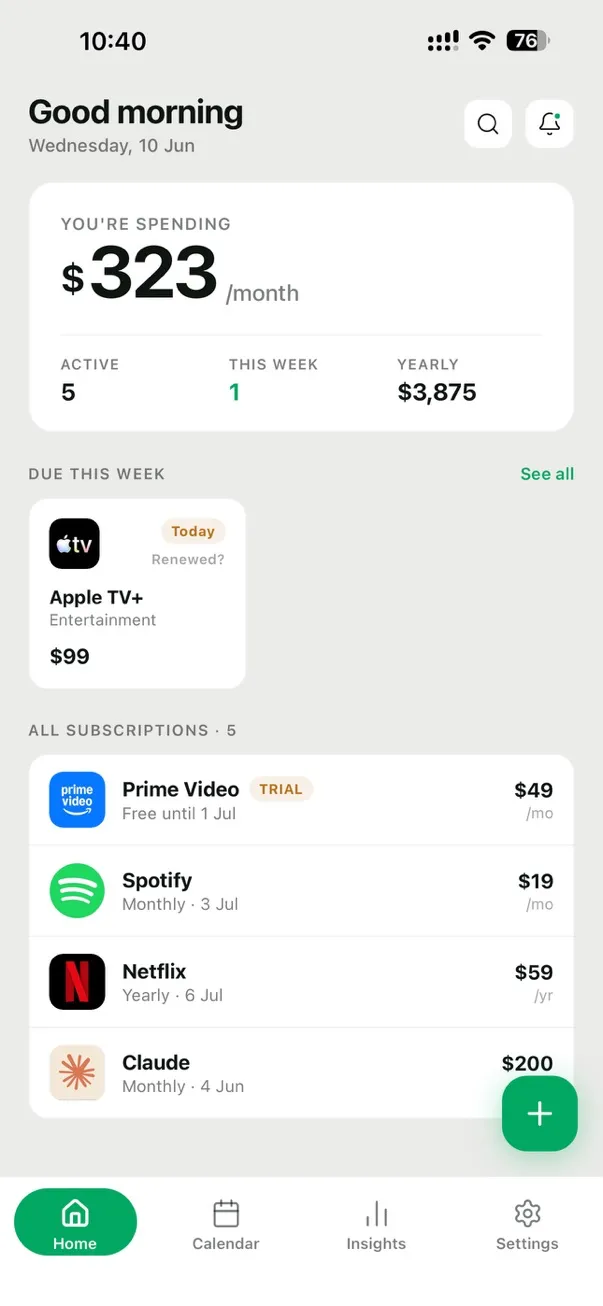
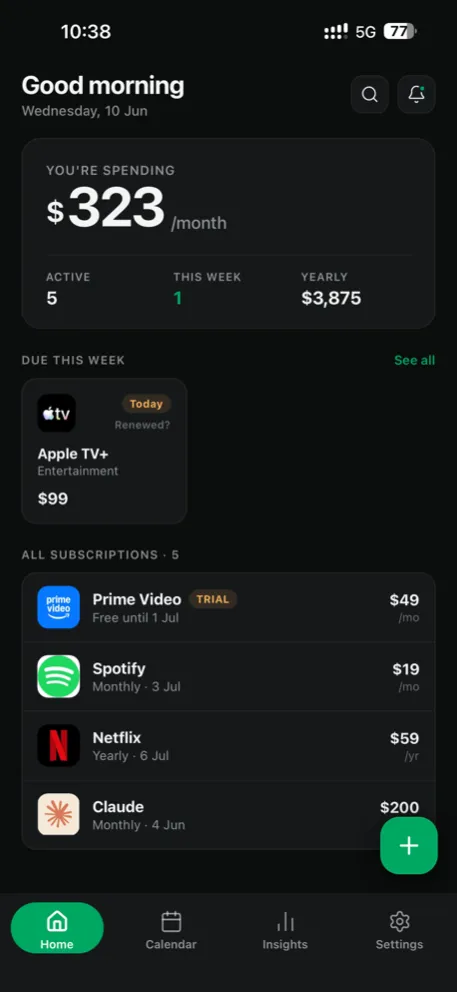
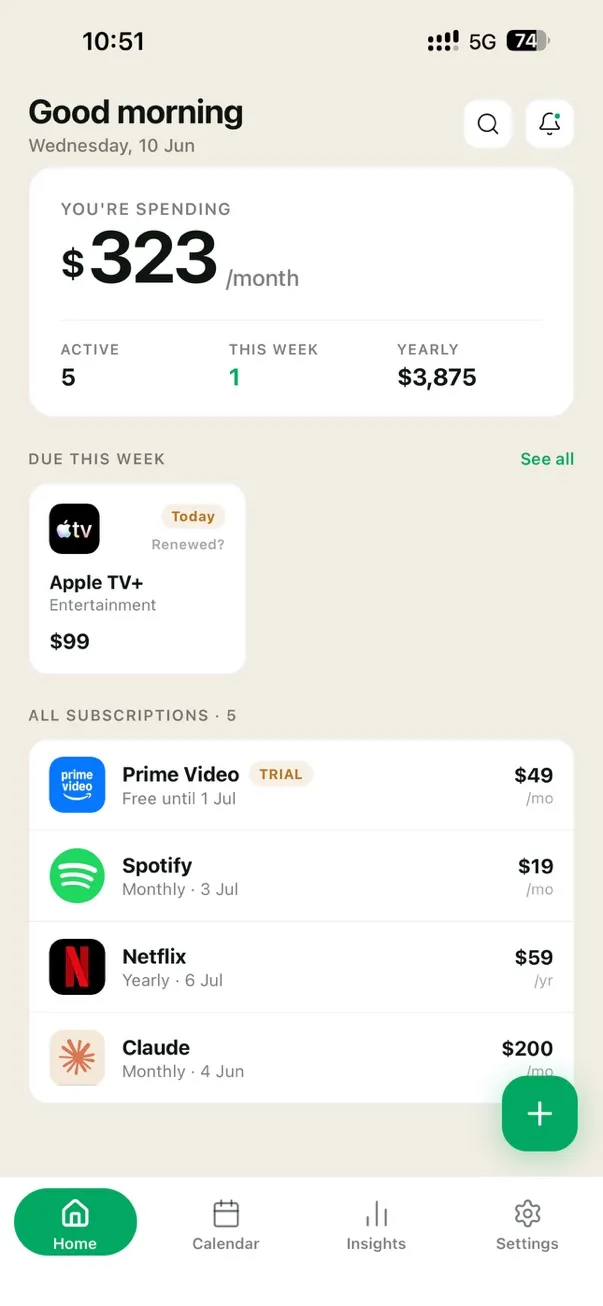
Light, true Dark, warm Ivory, and the deep-cool Midnight Slate — each tuned token by token, not auto-inverted. Tap a theme below and watch the real app switch.
Light · Clean & bright Dark · Easy on the eyes Ivory · Warm canvas Premium theme — included with Glint Pro. Midnight Slate · Deep & cool Premium theme — included with Glint Pro.
Glint Pro
Free to start. Everything below, unlocked — monthly, yearly, or a one-time lifetime purchase, priced for the country you buy in. On iPhone, yearly opens with a 14-day free trial when your App Store account is eligible. Cancel anytime, no nagging.
Everything you need to get organised.
For people who subscribe to everything.
Flexible, month to month.
Billed monthly · cancel anytime in your store settings
New in 1.1.0
Best value, billed yearly.
Billed yearly · cancel anytime in your store settings
14-day free trial on iPhone, if eligible
Pay once. Yours forever.
One-time payment · Lifetime access · No subscription
Prices shown in Google Play / the App Store at purchase, in your local currency and set for your region.
Pro prices are set per region rather than converted from US dollars, so what you pay reflects where you live. The 14-day yearly trial is an App Store introductory offer: it can be used once per account, Apple decides eligibility, and it is not available on Google Play yet. Purchases are processed securely by Google Play or the App Store. Monthly and yearly plans auto-renew and can be cancelled anytime in your store settings; refunds follow store policy. See our Terms.
FAQ
Yes. Glint requires no account and runs no servers that store your subscription details. What you enter stays in a local database or your own optional cloud backup. Glint does not record or replay your screen. Anonymous analytics and crash diagnostics never include subscription names, prices, notes, or dates, are never used for advertising, and can be switched off in Settings.
No. The app works fully without any sign-up. The only optional sign-in is Google (on Android) if you choose to enable cloud backup to your own Google Drive.
Only its own hidden backup file. Glint requests the drive.appdata scope, which is limited to a private appDataFolder invisible in your normal Drive view. It cannot see, read, or change any of your other Drive files — Google's permission system enforces this, not just our policy.
Twelve: English (UK, US, Canada, Australia), Japanese, German, French, Spanish (Spain and Mexico), Italian, Korean and Portuguese (Brazil). Glint follows your device language, and dates, currency formatting and reminder wording follow the language too — not just the button labels.
On iPhone, yes — the yearly plan opens with a 14-day free trial. It is an App Store introductory offer, so it can only be used once per App Store account and Apple decides eligibility; if you have used a Glint trial before, the paywall shows the plain price instead. Nothing is charged during the trial, and cancelling before it ends costs nothing. On Google Play there is no trial offer yet — Android currently starts on the plain monthly, yearly or lifetime price.
Yes, on both iPhone and Android. Widgets show your next renewal and your monthly total without opening the app, and are included with Glint Pro.
Monthly and yearly Pro are billed by Google Play or the App Store and can be cancelled anytime in your store subscription settings — you keep Pro until the period ends. Lifetime is a one-time purchase with nothing to cancel. Refunds are handled by Google/Apple under their store policies.
No. Glint never touches your bank, cards, or SMS. You enter subscriptions yourself — which is exactly why it can stay private and work without an account.
 Glint
Glint Glint is live on iPhone and Android. Start tracking for free—no account, no ads, and no noise.
Available now on Google Play and the App Store